Home › How domain controllers work
How domain controllers work
6 video lessons · about 21 minutes of video · practice questions on every step
This path is for Windows Server administrators, help desk staff moving into infrastructure work and anyone preparing for a Windows Server exam who wants to understand what domain controllers actually do. It is made of seven short video lessons, each a few minutes long, running from what a domain controller stores to how the operations master roles are moved when a server is retired or fails.
By the end you should be able to explain how a user signs in to a domain, how clients find a nearby domain controller through DNS, and which domain controller to look at when searches, sign-ins or object creation go wrong. You need basic Windows Server and DNS knowledge and a rough idea of what Active Directory Domain Services is; the Active Directory basics path covers that.
After this path you can
- Explain what a domain controller stores and which services it runs.
- Decide where to place global catalog servers across domains and sites.
- Describe the sign-in process, from the DNS lookup to the TGT and service tickets.
- Find domain controller SRV records in DNS and re-register them when they are missing.
- Identify the five FSMO roles and transfer or, if needed, seize them.
The steps
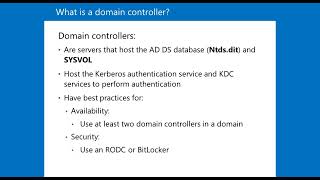 Step 1 · 3:33
What is a domain controller?
 Step 2 · 2:43
What is a global catalog?
 Step 3 · 3:39
The AD DS sign-in process
 Step 4 · 2:26
Domain controller SRV records
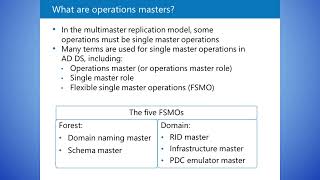 Step 5 · 5:46
What are operations masters (FSMO roles)?
 Step 6 · 2:46
Transferring and seizing FSMO roles
Courses for this path
The videos are short lessons from these courses. The courses add the demonstrations, labs and the rest of the topic.
Active Directory and Windows Server 90+ Hour with Labs
See the course on UdemyActive Directory: Domain Controllers, Operations Masters, GC
See the course on UdemyWhat next
Continue with the Deploying domain controllers path to install, upgrade and clone domain controllers yourself.
Next path: Deploying domain controllers →
Free lab guides by email
Step-by-step guides to building your own Active Directory and Linux lab as they come out - the first, "Build your AD lab in an evening", is being written now and goes to subscribers first - plus new lessons and the month's coupons by email - about twice a month. No spam; unsubscribe with one click.