Home › Linux root and sudo security
Linux root and sudo security
13 video lessons · about 85 minutes of video · practice questions on every step
This path is for Linux administrators and learners on RHEL-family systems such as RHEL, CentOS Stream, Rocky Linux or AlmaLinux who want root access handled properly. Across 13 short hands-on lessons, each a few minutes long, the root account is locked, administration moves onto sudo, and sudoers rules give each user or role only the commands it needs, with logging, environment protection and session timeouts added on top.
Afterwards you should be able to audit who holds sudo rights, build and test drop-in files in /etc/sudoers.d, and debug a policy that does not behave as expected. Before starting, have a RHEL-family virtual machine you can break safely, an account with sudo rights, and basic command-line habits: editing a file, reading output and filtering it with grep.
After this path you can
- audit the root account and every sudo rule on a RHEL-family server
- lock root, block root SSH logins and delegate administration through the wheel group
- write role-based files in /etc/sudoers.d with exact commands, aliases and per-user defaults
- protect sudo against PATH and environment tricks with env_reset, secure_path and env_delete
- inspect, test and debug any user's effective sudo policy
The steps
 Step 1 · 10:22
Lesson 1: Linux root access security

 Step 3 · 6:39
Lesson 3: Sudoers mastery: reading the sudoers file

 Step 5 · 8:48
Lesson 5: Role-based access control with groups

 Step 8 · 7:08
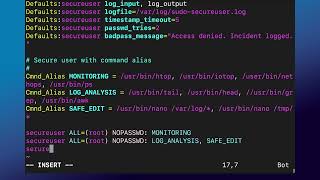
Lesson 8: Sudoers environment security

 Step 11 · 3:24
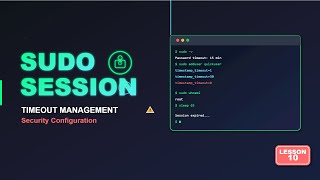
Lesson 11: Debugging and troubleshooting sudo policies
 Step 12 · 4:10
Lesson 12: Cleaning up sudoers and removing test users
Courses for this path
The videos are short lessons from these courses. The courses add the demonstrations, labs and the rest of the topic.
Zero-Trust Linux Administration: Complete Root Sudo Security
Coupon LINUX2ZEROTRUST: $12.99 until 10/28/2026
Get the course for $12.99Administration of Red Hat Enterprise Linux
See the course on UdemyWhat next
Move on to SELinux and auditd, so that what root and sudo users do is both confined and recorded.
Free lab guides by email
Step-by-step guides to building your own Active Directory and Linux lab as they come out - the first, "Build your AD lab in an evening", is being written now and goes to subscribers first - plus new lessons and the month's coupons by email - about twice a month. No spam; unsubscribe with one click.