Home › Active Directory basics: how AD DS is built
Active Directory basics: how AD DS is built
6 video lessons · about 23 minutes of video · practice questions on every step
This path is for new Windows Server administrators, help desk staff moving into systems work, and anyone preparing for a Microsoft server exam who wants a clear picture of how Active Directory Domain Services is put together. It is made of six short video lessons, each a few minutes long, with a summary and practice questions on every page.
By the end you should be able to name the logical and physical parts of AD DS, explain what the schema, forest, domain and organisational units each do, and choose a suitable tool for common admin tasks. You need basic Windows and networking knowledge, such as what a server, a user account and DNS are. No lab is required, although a test domain helps the ideas stick.
After this path you can
- tell the logical components of AD DS apart from the physical ones
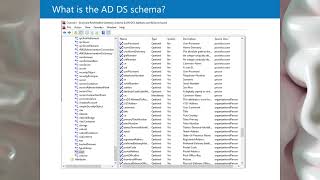
- describe how the schema controls what the directory can store, and who may change it
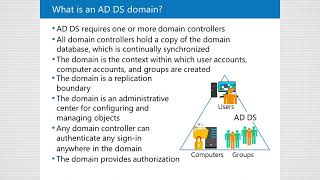
- explain the forest and the domain as security, replication and administrative boundaries
- sketch a simple OU hierarchy for Group Policy and delegation
- pick the right console or the PowerShell module for everyday AD DS tasks
The steps




Courses for this path
The videos are short lessons from these courses. The courses add the demonstrations, labs and the rest of the topic.
Active Directory and Windows Server 90+ Hour with Labs
See the course on UdemyActive Directory: Introduction and Administration Tools
See the course on UdemyAdministration of Active Directory and Windows Server (2025)
See the course on UdemyWhat next
Continue with the "How domain controllers work" path, which covers the global catalog, the sign-in process, SRV records and operations masters in more depth.
Next path: How domain controllers work →
Free lab guides by email
Step-by-step guides to building your own Active Directory and Linux lab as they come out - the first, "Build your AD lab in an evening", is being written now and goes to subscribers first - plus new lessons and the month's coupons by email - about twice a month. No spam; unsubscribe with one click.